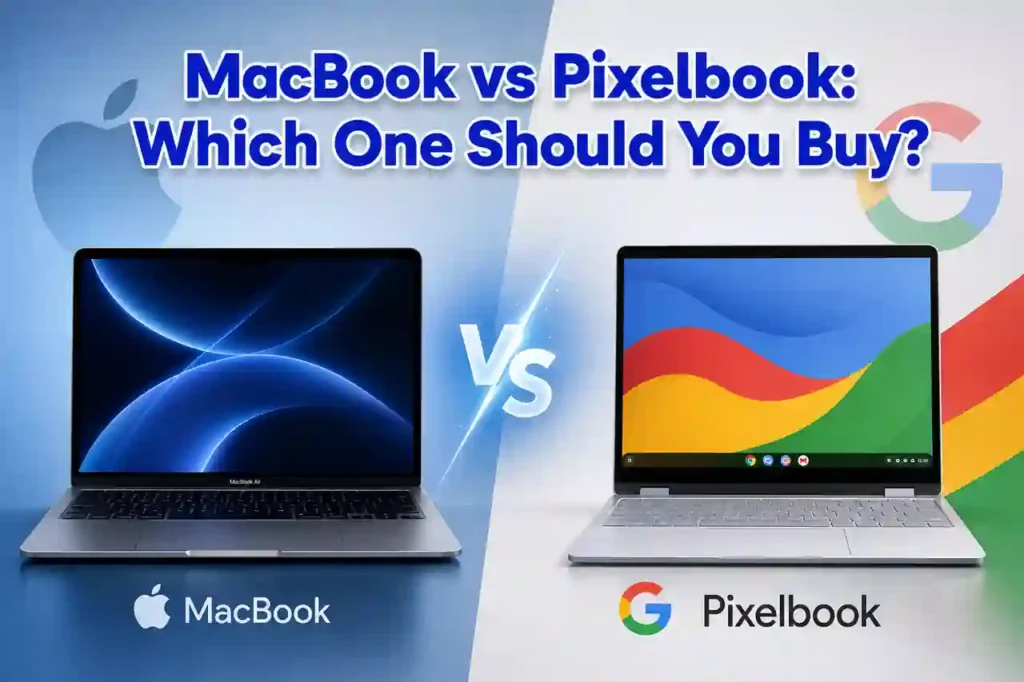
Choosing between a MacBook vs Pixelbook can be difficult because both are premium laptops built for different types of users. While Apple’s MacBook is known for outstanding performance, premium hardware, and macOS, Google’s Pixelbook focuses on speed, simplicity, and a cloud-first experience with ChromeOS.
If you want the short answer, buy an Apple MacBook if you need professional software, video editing, programming tools, long battery life, and excellent long-term value. Choose a Google Pixelbook if your daily work revolves around web browsing, Google Workspace, streaming, online classes, and lightweight productivity.
This detailed MacBook vs Pixelbook comparison covers everything you need before buying, including design, performance, display quality, battery life, software, pricing, and real-world usability. Whether you’re comparing Google Pixelbook vs MacBook, wondering should I buy MacBook or Pixelbook, or asking is Pixelbook better than MacBook, this guide will help you choose the laptop that fits your needs.
MacBook vs Pixelbook: Quick Answer
If you don’t have time to read the full comparison, here’s a quick summary of MacBook vs Pixelbook and which laptop you should buy.
| Best For | Winner | Why |
|---|---|---|
| Professional Work | MacBook | Powerful Apple Silicon chips and professional software support. |
| Programming | MacBook | Supports Xcode, VS Code, Docker, Android Studio, and many developer tools. |
| Students | MacBook | Long software support and excellent performance for education. |
| Google Workspace | Pixelbook | Built around ChromeOS and Google’s cloud ecosystem. |
| Web Browsing | Pixelbook | Fast startup and lightweight operating system. |
| Battery Life | MacBook | Outstanding efficiency with Apple Silicon processors. |
| Content Creation | MacBook | Ideal for photo editing, video production, and creative workflows. |
| Travel | Pixelbook | Lightweight design and quick boot times. |
Bottom line: The Apple MacBook is the better choice for most buyers because it delivers stronger performance, wider software compatibility, and excellent long-term value. The Google Pixelbook is still a great option if your work mainly happens inside a browser and Google services.
MacBook vs Pixelbook Specs Comparison
| Feature | Apple MacBook | Google Pixelbook |
|---|---|---|
| Operating System | macOS | ChromeOS |
| Processor | Apple Silicon (M-series) | Intel Core Processors |
| Display | Retina Display | High-resolution Touchscreen |
| Touchscreen | No | Yes |
| Graphics | Integrated Apple GPU | Integrated Intel Graphics |
| Battery | All-day battery life | All-day battery life |
| Software | Professional desktop applications | Web, Android, and Linux apps |
| Build | Premium Aluminum | Premium Aluminum |
| Best For | Professionals, Developers, Creators | Students and Everyday Users |
Looking at the MacBook vs Pixelbook specs, the biggest difference isn’t the hardware—it’s the software experience. Apple focuses on professional computing with macOS, while Google designed the Pixelbook around ChromeOS for users who spend most of their time online.
If your daily workflow includes editing videos, writing code, managing large spreadsheets, or using advanced desktop software, the MacBook provides significantly more flexibility. On the other hand, if you mainly browse the web, attend online meetings, stream content, and work in Google Docs or Google Drive, the Pixelbook offers a fast, secure, and easy-to-use experience.
The MacBook versus Pixelbook comparison isn’t about finding one laptop that’s better in every situation. Instead, it’s about choosing the device that best matches how you work, study, and create every day.
Design and Build Quality
The MacBook vs Pixelbook design comparison shows two premium laptops with different design philosophies. Apple focuses on a traditional clamshell design built from a single piece of aluminum, while Google designed the Pixelbook as a lightweight convertible with a touchscreen and 360-degree hinge.
The Apple MacBook feels exceptionally solid, with a minimalist design that has remained popular among professionals, students, and creators. It is built to withstand years of daily use while maintaining a premium appearance.
The Google Pixelbook is equally impressive in terms of portability. Its slim profile, lightweight construction, and convertible design make it easy to switch between laptop, tablet, tent, and presentation modes. If you regularly take handwritten notes or enjoy using a touchscreen, the Pixelbook offers flexibility that a MacBook doesn’t.
| Category | Winner | Reason |
|---|---|---|
| Build Quality | MacBook | Premium aluminum body with outstanding durability. |
| Portability | Tie | Both laptops are lightweight and easy to carry. |
| Touchscreen | Pixelbook | Supports touch input and convertible modes. |
| Overall Design | MacBook | Elegant, durable, and built for long-term professional use. |
If you value premium craftsmanship and long-term durability, the MacBook is difficult to beat. If versatility and touchscreen functionality matter more, the Pixelbook becomes an attractive alternative.
Display Comparison
The MacBook vs Pixelbook display comparison is closer than many buyers expect. Both laptops offer sharp, vibrant displays designed for everyday productivity, entertainment, and professional work.
Apple equips its MacBook with a high-resolution Retina display that produces excellent brightness, accurate colors, and crisp text. Whether you’re editing photos, watching videos, or reading documents for hours, the display remains comfortable and consistent.
The Google Pixelbook features a high-resolution touchscreen display that responds quickly to taps, gestures, and stylus input. ChromeOS is optimized for touch navigation, making the Pixelbook especially useful for note-taking, presentations, and Android applications.
Creative professionals who require accurate colors for photography or video editing will appreciate the MacBook’s display. Users who prefer touch controls and tablet functionality may find the Pixelbook more enjoyable for everyday use.
| Display Feature | Winner |
|---|---|
| Color Accuracy | MacBook |
| Brightness | MacBook |
| Touchscreen | Pixelbook |
| Reading Experience | MacBook |
| Tablet Mode | Pixelbook |
Overall, the MacBook delivers the better display for professional work, while the Pixelbook stands out for users who prefer a touchscreen experience.
Performance Comparison
Performance is where the biggest difference appears in the MacBook vs Pixelbook performance comparison.
Modern Apple MacBook models powered by Apple Silicon processors deliver exceptional speed and efficiency. They easily handle demanding tasks such as software development, video editing, graphic design, music production, and heavy multitasking without slowing down.
The Google Pixelbook focuses on lightweight computing. ChromeOS is fast, boots in seconds, and performs smoothly for web browsing, streaming, online meetings, email, and Google Workspace. While it handles everyday tasks well, it isn’t designed for intensive professional workloads.
If you’re comparing Google Pixelbook vs MacBook for programming, content creation, or business productivity, the MacBook clearly offers more processing power and broader software compatibility.
If you’re concerned about maintaining consistent laptop performance over time, proper cooling is just as important as hardware specifications. Learn how to prevent performance drops with our guide on how to fix laptop overheating.
MacBook vs Pixelbook Performance for Everyday Use
- Opening multiple browser tabs
- Video streaming
- Office documents
- Online meetings
- Email management
Both laptops perform well during everyday computing. The Pixelbook feels extremely responsive because ChromeOS uses fewer system resources, while the MacBook maintains smooth performance even when running demanding applications alongside everyday tasks.
Professional Workloads
When your work involves editing high-resolution videos, compiling code, creating graphics, or managing large creative projects, the MacBook provides a significantly better experience. Apple Silicon processors deliver excellent speed while maintaining impressive power efficiency.
| Task | Better Choice |
|---|---|
| Programming | MacBook |
| Video Editing | MacBook |
| Photo Editing | MacBook |
| Google Workspace | Pixelbook |
| Web Browsing | Pixelbook |
| Heavy Multitasking | MacBook |
For most buyers comparing MacBook or Pixelbook, performance is one of the strongest reasons to choose the MacBook.
Keyboard and Trackpad
The MacBook vs Pixelbook keyboard comparison is much closer than the performance comparison because both laptops offer an enjoyable typing experience.
The MacBook features a comfortable keyboard with excellent key spacing, making it suitable for writers, students, developers, and business professionals. Apple’s large Force Touch trackpad remains one of the best available, offering precise gestures and smooth navigation throughout macOS.
The Pixelbook also delivers a responsive keyboard with quiet keys that feel comfortable during long typing sessions. Its glass trackpad performs well, while the touchscreen provides another convenient way to interact with ChromeOS.
If you spend most of your day typing documents, writing code, or editing spreadsheets, both laptops perform well. However, the MacBook’s larger trackpad and refined gesture controls give it a slight advantage.
| Feature | Winner |
|---|---|
| Keyboard Comfort | Tie |
| Trackpad | MacBook |
| Touch Input | Pixelbook |
| Productivity | MacBook |
Battery Life Comparison
Battery life can make a big difference when choosing a laptop, and the MacBook vs Pixelbook battery life comparison favors Apple’s latest MacBook models.
Apple Silicon processors combine excellent performance with remarkable power efficiency, allowing modern MacBooks to last through a full workday under typical use. Whether you’re attending meetings, editing documents, browsing the web, or watching videos, the battery remains reliable throughout the day.
The Pixelbook also delivers dependable battery life for web-based activities. ChromeOS is lightweight, helping the laptop stay efficient while browsing, using Google Docs, streaming media, or participating in online classes.
| Usage | Better Choice |
|---|---|
| Office Work | MacBook |
| Programming | MacBook |
| Video Playback | MacBook |
| Web Browsing | Pixelbook |
| Online Classes | Pixelbook |
| Overall Battery Life | MacBook |
If long battery life is one of your top priorities, the MacBook is the stronger choice. The Pixelbook still offers enough endurance for everyday productivity, but Apple’s combination of performance and efficiency gives it the overall advantage.
macOS vs ChromeOS: Which Operating System Is Better?
The biggest difference in the MacBook vs Pixelbook comparison isn’t the hardware—it’s the operating system. Your experience will depend on whether you prefer macOS or ChromeOS.
Apple designed macOS for users who need professional software, advanced multitasking, and excellent long-term support. It’s a complete desktop operating system capable of handling everything from programming and video editing to music production and business applications.
The Google Pixelbook runs ChromeOS, a lightweight operating system built around speed, security, and cloud computing. It starts quickly, updates automatically, and works seamlessly with Google services like Docs, Drive, Gmail, and Meet.
The ChromeOS vs macOS decision depends on how you use your laptop. If your workflow relies on professional desktop applications, macOS is the better option. If most of your work happens in a browser or through web apps, ChromeOS offers a fast and simple experience.
Choose macOS If You Need
- Professional desktop applications
- Video editing software
- Programming and software development
- Graphic design tools
- Advanced multitasking
- Long software support
Choose ChromeOS If You Need
- Fast startup times
- Google Workspace integration
- Simple everyday computing
- Automatic security updates
- Cloud-first productivity
- Easy maintenance
For most professionals, developers, and creators comparing Google Pixelbook vs MacBook, macOS provides greater flexibility. ChromeOS remains an excellent choice for students, casual users, and anyone who primarily works online.
Software and App Support
Software compatibility is another major factor in the MacBook vs Pixelbook comparison.
The Apple MacBook supports thousands of professional desktop applications, including tools for programming, graphic design, engineering, accounting, video editing, and music production. Many creative professionals choose a MacBook because it provides access to industry-standard software while maintaining excellent stability and performance.
The Google Pixelbook focuses on cloud-based applications. ChromeOS runs web apps smoothly while also supporting Android applications and many Linux programs. This makes the Pixelbook far more capable than earlier Chromebook models, although some professional software remains unavailable.
If your daily work includes Microsoft Office, Google Workspace, Zoom, Slack, web browsing, and cloud collaboration, both laptops perform well. However, if your job requires professional desktop software, the MacBook provides a much wider range of options.
| Software Category | Better Choice |
|---|---|
| Professional Applications | MacBook |
| Creative Software | MacBook |
| Programming Tools | MacBook |
| Google Workspace | Pixelbook |
| Android Apps | Pixelbook |
| Cloud Productivity | Pixelbook |
Overall, the MacBook is the better choice for users who rely on desktop software, while the Pixelbook shines for cloud-first workflows and Google services.
Price Comparison
The MacBook vs Pixelbook price comparison isn’t just about the upfront cost. It’s about balancing performance, software support, build quality, and long-term value to find the laptop that best fits your budget.
The Apple MacBook is a premium laptop, with the latest MacBook Air models starting at around $999 and higher-end MacBook Pro models costing $1,599 or more, depending on the processor, memory, and storage configuration. Although the initial investment is higher, MacBooks are known for excellent performance, long software support, and strong resale value.
The Google Pixelbook originally launched at around $999, while the Pixelbook Go started at approximately $649.
Today, both models are discontinued, so prices vary in the used and refurbished market, typically ranging from $250 to $700, depending on the condition and specifications.
This makes the Pixelbook a more affordable option for users who mainly need a lightweight laptop for web browsing, Google Workspace, and everyday productivity.
| Buying Priority | Better Choice |
|---|---|
| Lower Initial Cost | Pixelbook |
| Long-Term Value | MacBook |
| Professional Work | MacBook |
| Cloud Computing | Pixelbook |
| Resale Value | MacBook |
If your budget allows, the MacBook often delivers better value over time because of its performance, software support, and strong resale value. The Pixelbook remains an excellent option for buyers who want a premium laptop focused on everyday productivity.
Who Should Buy a MacBook?
If you’re still deciding should I buy MacBook or Pixelbook, your daily workload is the best place to start.
A MacBook is the better choice if you need a laptop that can grow with your needs over the next several years. Its combination of performance, battery life, software compatibility, and premium build quality makes it suitable for a wide range of users.
Buy a MacBook If You:
- Need powerful performance for demanding workloads.
- Use professional software for editing, design, or business.
- Write code or develop applications.
- Create videos, graphics, or digital content.
- Already own other Apple devices.
- Want excellent resale value and long software support.
- Need reliable performance for work or university.
The MacBook vs Pixelbook for programming, MacBook vs Pixelbook for work, and MacBook vs Pixelbook for productivity comparisons all favor the MacBook because of its stronger hardware and broader software ecosystem.
Who Should Buy a Pixelbook?
The Google Pixelbook is a great choice for users who want a simple, fast, and secure laptop for everyday computing. While it doesn’t match the MacBook’s raw performance, it excels at web-based productivity and cloud computing.
If your daily routine involves Google Docs, Gmail, Google Drive, video streaming, online meetings, and web browsing, the Pixelbook delivers a smooth experience with minimal maintenance. ChromeOS is lightweight, boots quickly, and updates automatically, making it ideal for users who prefer simplicity over advanced desktop features.
Buy a Pixelbook If You:
- Spend most of your time using Google Workspace.
- Mainly browse the web and stream media.
- Want a lightweight laptop for travel.
- Prefer a touchscreen and convertible design.
- Need a simple operating system with automatic updates.
- Work primarily with cloud-based applications.
- Want a premium laptop without paying for high-end professional hardware.
If you’re comparing MacBook or Pixelbook for everyday browsing, email, online learning, and cloud productivity, the Pixelbook is an excellent option. However, if you expect your workload to grow into programming, creative work, or professional multitasking, the MacBook provides more room to grow.
MacBook vs Pixelbook Pros and Cons
Apple MacBook
Pros
- Outstanding Apple Silicon performance.
- Excellent Retina display.
- Premium aluminum build quality.
- Industry-leading battery life.
- Supports professional desktop software.
- Excellent keyboard and trackpad.
- Long software support and strong resale value.
Cons
- Higher purchase price.
- No touchscreen.
- Fewer hardware customization options.
Google Pixelbook
Pros
- Fast and lightweight ChromeOS.
- Touchscreen with convertible design.
- Excellent Google Workspace integration.
- Quick startup and automatic updates.
- Comfortable keyboard.
- Portable and travel-friendly.
Cons
- Less powerful for demanding workloads.
- Limited professional desktop software.
- Older hardware compared with modern MacBooks.
- Smaller software ecosystem.
Real-World Buying Advice
For Students
The MacBook vs Pixelbook for students comparison depends on your coursework. A MacBook is the better investment if your classes require programming, engineering software, video editing, or creative applications. A Pixelbook is a smart choice for students who mainly use Google Classroom, Google Docs, and online learning platforms.
For Programming
The MacBook vs Pixelbook for programming comparison clearly favors the MacBook. macOS supports professional development tools like Xcode, Visual Studio Code, Docker, Git, Android Studio, and many other developer environments. While ChromeOS supports Linux applications, it isn’t as flexible for advanced software development.
For Work
In the MacBook vs Pixelbook for work comparison, the MacBook is the better choice for professionals who manage large projects, multitask across multiple applications, or rely on desktop software. The Pixelbook is well suited to remote workers whose tasks are centered around web applications and Google Workspace.
For Productivity
When comparing MacBook vs Pixelbook for productivity, the MacBook provides stronger multitasking, faster performance, and better support for demanding workflows. The Pixelbook focuses on speed, simplicity, and cloud-based productivity, making it ideal for lighter everyday tasks.
For Travelers
Both laptops are portable, but they serve different needs. The Pixelbook is lightweight, starts quickly, and works well for email, browsing, and online meetings. The MacBook combines portability with powerful performance, making it the better option for professionals who need to work while traveling.
Final Verdict
After comparing every major category, the MacBook vs Pixelbook decision comes down to how you use your laptop each day.
Choose the Apple MacBook if you want exceptional performance, premium build quality, excellent battery life, professional software support, and long-term value. It is the better choice for creators, developers, business professionals, students with demanding coursework, and anyone looking for a laptop that can handle both current and future workloads.
Choose the Google Pixelbook if your daily tasks revolve around web browsing, Google Workspace, online meetings, streaming, and cloud-based productivity. Its lightweight design, touchscreen, and simple ChromeOS experience make it an enjoyable laptop for everyday use.
For most buyers, the MacBook offers the better overall experience thanks to its powerful hardware, broader software compatibility, and long lifespan. The Pixelbook remains a strong alternative for users who prefer Google’s ecosystem and don’t require professional desktop applications.
Frequently Asked Questions
Is Pixelbook better than MacBook?
No. The MacBook offers better performance, software compatibility, battery efficiency, and long-term value. The Pixelbook is a better fit for lightweight web-based computing and Google Workspace.
Should I buy MacBook or Pixelbook?
Buy a MacBook if you need professional software, programming tools, creative applications, or long-term performance. Choose a Pixelbook if your work is mainly browser-based and centered around Google services.
Which laptop has better performance?
The MacBook vs Pixelbook performance comparison clearly favors the MacBook because Apple Silicon processors deliver significantly higher performance for demanding tasks.
Which laptop has the better display?
The MacBook offers a brighter Retina display with excellent color accuracy, while the Pixelbook stands out with its responsive touchscreen and convertible design.
What should I do if my laptop screen turns green?
A green screen can be caused by display driver issues, loose display cables, GPU problems, or hardware faults. If you notice a green tint or flickering screen, read our complete guide on how to fix a laptop green screen for step-by-step solutions.
Which laptop has better battery life?
The MacBook vs Pixelbook battery life comparison favors the MacBook, especially for users who run demanding applications throughout the day.
Is a Pixelbook good for programming?
It can handle basic development through Linux support, but the MacBook is a better option for professional programming because of its stronger hardware and broader software compatibility.
Is ChromeOS better than macOS?
The ChromeOS vs macOS comparison depends on your needs. ChromeOS is ideal for simple cloud-based computing, while macOS provides greater flexibility for professional work.
Why is my laptop connected to Wi-Fi but has no internet?
This issue is usually caused by network settings, router problems, outdated drivers, or DNS configuration. If you’re experiencing this problem on any laptop, read our guide on how to fix a laptop connected to Wi-Fi but with no internet.
Which laptop offers better value?
If you want long-term performance and software support, the MacBook provides better overall value. If your needs are limited to browsing, streaming, and cloud productivity, the Pixelbook delivers excellent value at a lower cost.