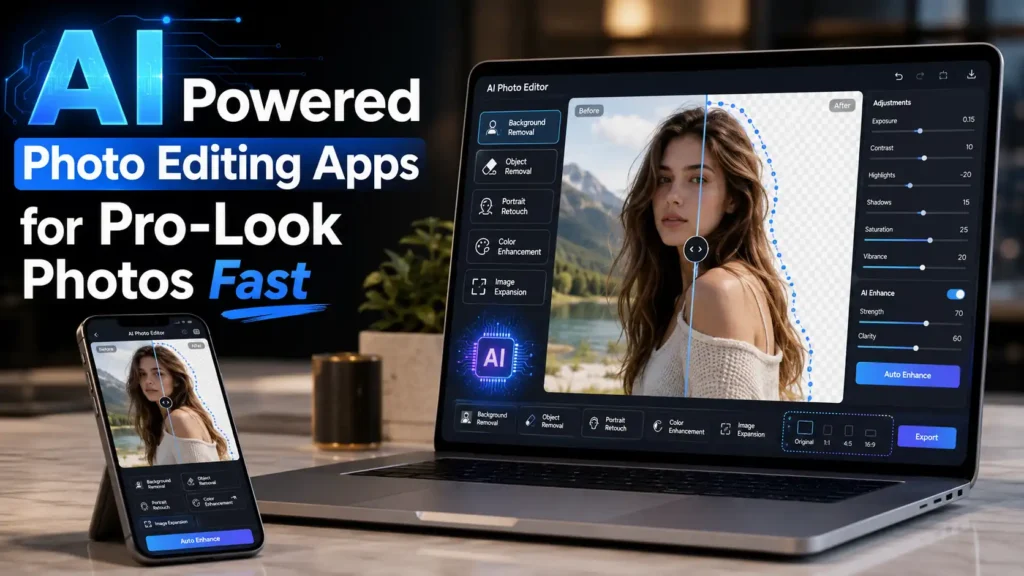
The best AI-powered photo editing apps for fast, professional-looking photos are Google Photos, Canva, Adobe Photoshop, Adobe Express, Picsart, Pixlr, and Fotor. These apps help remove backgrounds, erase unwanted objects, retouch portraits, enhance image quality, expand photos, and create polished visuals without advanced editing skills.
That is the simple answer. But choosing the right app depends on what you want to fix.
If you want the easiest app for everyday photos, Google Photos is a strong choice. If you want social media designs, thumbnails, and business graphics, Canva is better. If you want advanced editing control, Adobe Photoshop is one of the strongest options. For quick online editing, Pixlr and Fotor are useful. For creative, fun, and trendy edits, Picsart is a good pick. For simple design and fast AI editing, Adobe Express also works well.
If you want the easiest app for everyday photos, Google Photos is a strong choice. If you want social media designs, thumbnails, and business graphics, Canva is better. If you want advanced editing control, Adobe Photoshop is one of the strongest options. For quick online editing, Pixlr and Fotor are useful. For creative, fun, and trendy edits, Picsart is a good pick. For simple design and fast AI editing, Adobe Express also works well.
Here are the best AI photo editing apps by need:
- Google Photos 4.8/5 Stars — best for quick phone photo fixes
- Canva 4.8/5 Stars — best for social media posts and simple designs
- Adobe Photoshop 4.5/5 Stars — best for advanced AI photo editing
- Adobe Express 4.5/5 Stars — best for quick designs and easy edits
- Picsart 4.2/5 Stars — best for creative effects and social content
- Pixlr 4.5/5 Stars — best for free online AI photo editing
- Fotor 4.2/5 Stars — best for one-tap photo enhancement
This is exactly why ai powered photo editing apps are useful. They help normal users improve photos without learning complicated editing software or paying a professional editor for every small change.
With the right ai photo editing apps, you can clean up images, remove distractions, change backgrounds, sharpen blurry pictures, improve skin tone, create social media posts, and make product photos look more polished in just a few taps.
Find the best free photo editing apps for Android to enhance pictures, remove backgrounds, retouch selfies, add filters, and create stunning social media photos fast with simple tools now.
Discover the best free photo editing app for iPhone to retouch selfies, remove backgrounds, add filters, enhance colors, and create stunning pictures with simple tools anyone can use in seconds today.
How I Chose These AI Photo Editing Apps
I selected these apps based on ease of use, AI editing features, free access, mobile support, browser availability, and how useful they are for common photo problems. The main features I looked for were background removal, object removal, image enhancement, portrait retouching, templates, creative effects, and fast export options.
The goal was not to choose the most advanced app only. The goal was to recommend tools that help normal users create cleaner, sharper, and more professional-looking photos with less effort.
Best AI Powered Photo Editing Apps by Need
Not every app is best for every user. The best ai powered photo editing apps depend on your device, editing goal, and skill level.
| Need | Best App Choices | Why It Works |
| Quick phone fixes | Google Photos | Easy AI edits for everyday photos |
| Beginner-friendly designs | Canva | Great for social posts, text, templates, and simple edits |
| Professional AI editing | Adobe Photoshop | Best for generative fill, advanced edits, and detailed control |
| Fast background removal | Adobe Express | Simple tool for clean backgrounds and quick visuals |
| Creative social photos | Picsart | Good for effects, filters, retouching, and trendy edits |
| Browser-based AI editing | Pixlr | Useful for online editing without heavy software |
| Photo enhancement and cleanup | Fotor | Helpful for object removal, background removal, and image quality improvement |
If you want one easy starting point, try Canva or Google Photos.
If you want more advanced control, try Adobe Photoshop.
If you want fast online editing, try Pixlr or Fotor.
If you want creative social media edits, try Picsart.
If you want simple background removal, try Adobe Express.
The main purpose of ai powered photo editing apps is simple: they help people edit photos faster without needing professional editing skills.
Why AI Powered Photo Editing Apps Are Useful
Most people do not want to spend hours editing one photo. They want a fast, clean, natural-looking result.
That is why AI image editing apps have become so popular. They do the hard parts of editing for you. Instead of manually cutting out a person, the app can detect the subject. Instead of carefully brushing around hair, the app can remove the background. Instead of guessing how to fix dull lighting, the app can improve brightness and color automatically.
These apps are helpful for:
- Removing unwanted objects from photos
- Changing or removing photo backgrounds
- Fixing poor lighting
- Improving blurry or low-quality images
- Retouching portraits and selfies
- Creating product photos
- Making social media graphics
- Expanding images for better framing
- Adding creative effects and filters
The best ai powered photo editing apps are not just for photographers. They are also useful for students, small business owners, online sellers, content creators, bloggers, families, and anyone who wants better-looking photos.
A good AI edit should not make the picture look fake. It should make the image look cleaner, clearer, and more useful.
What AI Photo Editing Apps Can Do
A good ai powered photo editor app can handle many editing tasks that used to require advanced skills.
Many ai powered photo editing apps can now understand the subject, background, lighting, face, product, or object in an image. This makes editing much easier for beginners.
Object Removal
Object removal is one of the most useful features in ai powered photo editing apps.
It helps you remove unwanted things from a photo, such as:
- People in the background
- Trash cans
- Street signs
- Wires
- Small marks
- Random objects
- Text you do not want in the image
- Background clutter
For example, if you take a great travel photo but someone walks behind you, AI object removal can help clean up the scene. If you take a product photo and the table looks messy, AI photo editing apps can remove distractions and make the image look more professional.
Background Removal
Background removal is one of the biggest reasons people use ai powered photo editing apps.
You can upload a photo, let the app detect the main subject, and remove the background automatically. This is useful for profile pictures, product photos, online shop images, thumbnails, posters, and social media posts.
Before AI tools became common, clean background removal took time and skill. Now, many ai powered photo editing apps can do it in seconds.
This is especially helpful for beginners who want clean photos without learning manual cutout tools.
Background Replacement
Background replacement lets you remove a boring or messy background and add a better one.
For example, you can change a plain wall into a studio-style background. You can place a product on a clean surface. You can make a profile photo look more professional. You can also create a more creative look for social media.
This is one reason ai powered photo editing apps are popular with content creators and small business owners. They help create better visuals without needing a full photoshoot.
Photo Enhancement
Photo enhancement helps improve the overall quality of an image.
Many ai powered photo editing apps can improve:
- Brightness
- Contrast
- Sharpness
- Color
- Clarity
- Noise
- Blur
- Low resolution
This is useful when a photo looks dark, flat, soft, or low quality. Instead of adjusting everything manually, the app can analyze the image and improve it automatically.
For beginners, photo enhancement is one of the easiest AI editing features to use.
Portrait Retouching
Portrait retouching helps improve selfies, profile photos, and close-up pictures.
AI portrait tools can help with:
- Skin smoothing
- Blemish removal
- Face brightness
- Eye enhancement
- Shadow correction
- Natural beauty touch-ups
The best ai powered photo editing apps do not need to make faces look plastic. A natural edit is usually better. The goal is to improve the photo while keeping the person looking real.
Image Expansion
Image expansion is useful when a photo feels too tightly cropped.
Some ai powered photo editing apps can extend the edges of a photo and create extra background around the subject. This can help when you need a wider image for a banner, thumbnail, social post, or design layout.
Image expansion is especially helpful when the original photo is good, but the frame is too small.
Creative Effects
Creative effects are useful when you want a fun, modern, or social-ready image.
Apps like Picsart, Canva, Pixlr, and Fotor offer creative tools that can turn simple photos into more eye-catching visuals. You can add filters, effects, stickers, text, backgrounds, and artistic styles.
Creative effects are helpful for social media, but they should be used carefully. Too many effects can make a photo look messy.
Best Free AI Apps for Photo Editing
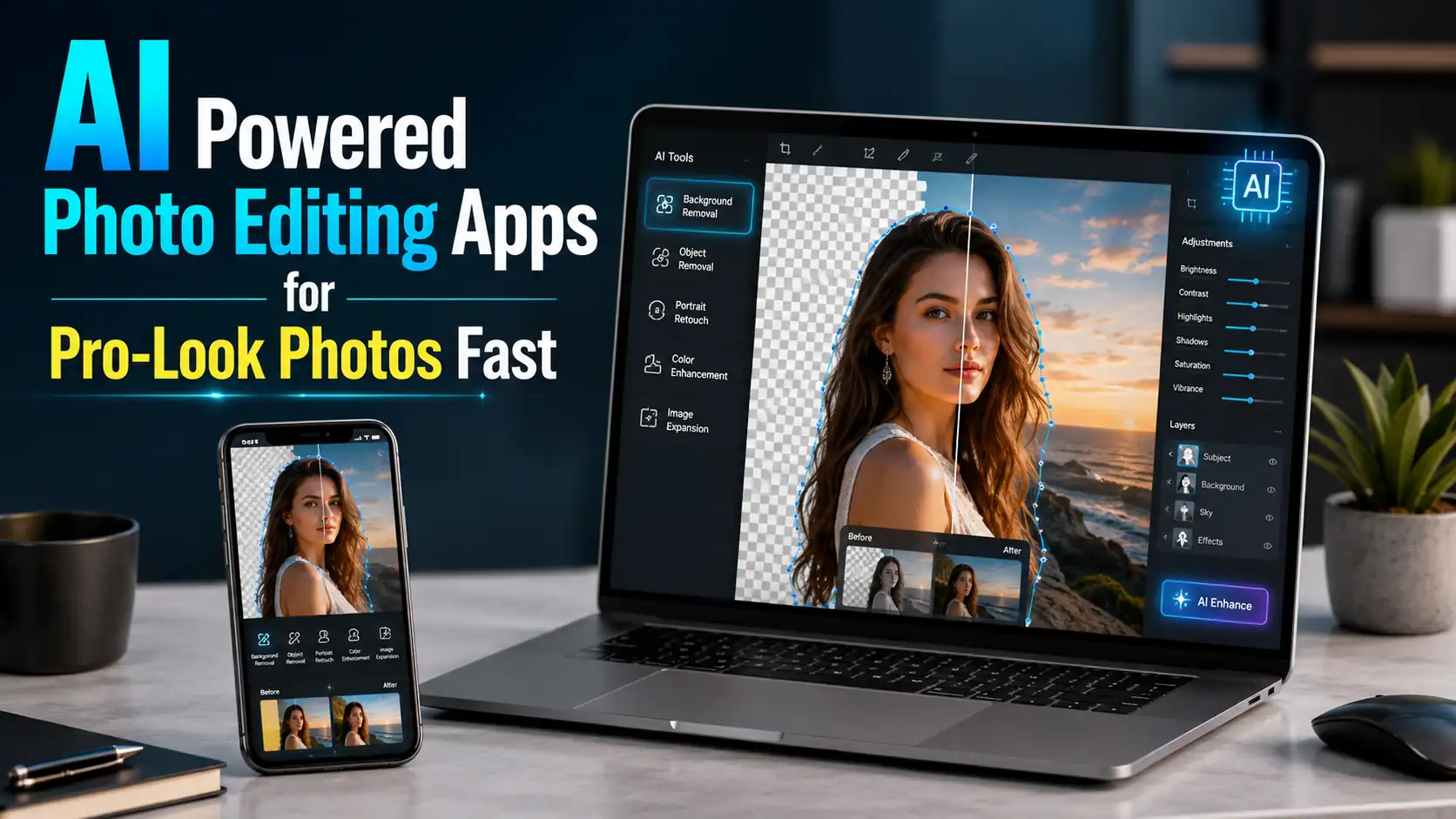
Many people want the best free ai apps for photo editing because they do not want to pay for simple edits.
The important thing to understand is that “free” can mean different things. Some ai powered photo editing apps offer many free tools. Some give free access with limits. Some allow basic editing for free but charge for advanced AI features.
So, choose based on your editing need first.
1. Google Photos 4.8/5 Stars: Best for Quick Everyday AI Edits
- Google Play Store (Android): The app has earned a 4.8 out of 5-star rating on the Google Play Store, based on more than 53.7 million user reviews and over 10 billion downloads.
- Apple App Store (iOS): Rated 4.8 out of 5 stars, based on more than 1.4 million user reviews.
Google Photos is one of the easiest ai powered photo editing apps for everyday users. Many people already use it to store and manage photos, so editing inside the same app feels simple.
Google Photos is useful for quick fixes such as removing distractions, improving lighting, and enhancing blurry photos. It is a good choice when you want fast results without opening a complicated editor.
Why Google Photos Is Good
Google Photos is simple, familiar, and convenient. It works well for casual photos, family pictures, travel images, and quick phone edits.
It is one of the best ai powered photo editing apps for people who want to fix photos without thinking too much about tools and settings.
Best For
- Quick mobile edits
- Everyday photos
- Removing distractions
- Improving lighting
- Fixing blurry images
- Simple personal photo cleanup
Keep in Mind
Some AI features may depend on your device, app version, account, or location.
2. Canva 4.8/5 Stars: Best for Beginners and Social Media Designs
- Google Play Store (Android): Canva AI Photo & Video Editor maintains a 4.8-star rating with more than 25.8 million reviews and 500 million+ downloads worldwide.
- Apple App Store (iOS): Canva is rated 4.9 out of 5 stars on the Apple App Store, backed by over 3.4 million user reviews worldwide.
Canva is one of the most beginner-friendly ai powered photo editing apps because it combines photo editing with design tools.
It is useful when you want to edit a photo and turn it into a finished visual. You can create social posts, profile images, thumbnails, posters, simple ads, business graphics, and product promos.
Why Canva Is Good
Canva is easy to understand. You can upload a photo, remove the background, add text, use a template, adjust the image, and download the final design.
Among ai powered photo editing apps, Canva is especially good for people who want clean visuals without starting from a blank page.
Best For
- Beginners
- Social media posts
- Profile pictures
- Business graphics
- Online sellers
- Thumbnails
- Posters and simple designs
Keep in Mind
Some advanced AI features, templates, or assets may require a paid plan.
3. Adobe Photoshop 4.5/5 Stars: Best for Professional AI Photo Editing
- Google Play Store (Android): The app has achieved a 4.5 out of 5-star score on Google Play, with over 2.5 million user reviews and more than 100 million downloads globally.
- Apple App Store (iOS): This app has received a 4.7 out of 5-star score on the Apple App Store, supported by more than 740,000 user reviews worldwide.
Adobe Photoshop is one of the most powerful ai powered photo editing apps for users who want advanced control.
It is best for people who need detailed editing, realistic object removal, image expansion, background changes, and creative AI edits. Photoshop is not always the easiest option for beginners, but it is one of the strongest choices for serious editing.
Why Adobe Photoshop Is Good
Photoshop gives users more control than most simple mobile editors. It is useful when you want professional-level results and are willing to learn the tools.
It is one of the best ai powered photo editing apps for photographers, designers, business owners, and advanced creators.
Best For
- Professional photo editing
- Generative fill
- Image expansion
- Advanced object removal
- Background editing
- Detailed creative work
- High-quality image projects
Keep in Mind
Photoshop may feel complex for beginners, and many features require a paid Adobe plan.
4. Adobe Express 4.5/5 Stars: Best for Fast Background Removal
- Google Play Store (Android): With a 4.5 out of 5-star Google Play rating, more than 2.5 million user reviews, and over 100 million downloads, Photoshop Express Photo Editor remains a popular choice for Android users.
- Apple App Store (iOS): On the Apple App Store, Photoshop Express Photo Editor has earned an impressive 4.8 out of 5-star rating from more than 740,000 users.
Adobe Express is a simpler option than Photoshop. It is useful for people who want quick edits, especially background removal and simple design work.
If you want to remove a background, add a clean layout, and create a polished image without advanced tools, Adobe Express is a strong choice.
Why Adobe Express Is Good
Adobe Express is easier than Photoshop and works well for fast visual projects. It is useful for profile photos, product images, social posts, flyers, and simple branded content.
Among ai powered photo editing apps, Adobe Express is a good option for users who want Adobe-style results without a complicated workflow.
Best For
- Background removal
- Simple designs
- Profile photos
- Social media images
- Product visuals
- Fast editing
Keep in Mind
Some features may require an Adobe account or premium access.
5. Picsart 4.2/5 Stars: Best for Creative AI Photo Editing
- Google Play Store (Android): PicsArt Photo & Video Editor has a 4.2 out of 5-star rating on Google Play, supported by over 11.8 million user reviews and more than 1 billion downloads globally.
- Apple App Store (iOS): PicsArt is rated 4.7 out of 5 stars on the Apple App Store, based on more than 950,000 user ratings worldwide.
Picsart is one of the most popular ai powered photo editing apps for creative users.
It is useful for people who want fun edits, social media effects, stickers, filters, collages, retouching, and bold visual styles. Picsart is especially helpful when you want photos to look modern, colorful, and eye-catching.
Why Picsart Is Good
Picsart is built for creativity. It gives users many ways to change the look and feel of a photo quickly.
It is one of the best ai powered photo editing apps for selfies, content creators, short-form content visuals, and people who like trendy edits.
Best For
- Creative photo edits
- Selfies
- Social media images
- Filters and effects
- Collages
- Stickers
- Portrait retouching
Keep in Mind
Creative effects can look too strong if you overuse them. For natural photos, keep edits light.
6. Pixlr 4.5/5 Stars: Best for Online AI Photo Editing
- Google Play Store (Android): Pixlr AI Photo & Video Editor has a 4.5 rating score with over 1.22 million user reviews and more than 100 million downloads worldwide.
- Apple App Store (iOS): Pixlr AI Photo & Video Editor is rated 4.4 out of 5 stars on the Apple App Store, based on approximately 5.1K user ratings.
- Trustpilot: The app has a 2.0 out of 5-star rating on Trustpilot, largely based on a smaller number of critical reviews that focus on billing concerns and recent subscription tier changes.
Pixlr is a strong choice for people who want ai powered photo editing apps that work online.
You can use Pixlr in a browser, which makes it helpful if you do not want to download heavy software. It is useful for background removal, quick edits, generative tools, filters, and image cleanup.
Why Pixlr Is Good
Pixlr gives users a practical online editing space. It is easier than many professional tools but still offers useful AI features.
It is one of the best ai powered photo editing apps for users who want quick browser-based editing on a laptop, desktop, tablet, or phone.
Best For
- Online editing
- Background removal
- Quick touch-ups
- Product images
- Profile photos
- Simple creative edits
- Users who do not want heavy software
Keep in Mind
Free access may include limits, ads, or restricted advanced features.
7. Fotor 4.2 Stars: Best for Enhancement, Object Removal, and Simple AI Cleanup
- Google Play Store (Android): Rated 4.3 stars on Google Play, the app has over 730,000 reviews and more than 10M+ downloads worldwide.
- Apple App Store (iOS): The app receives around 4.7 out of 5 stars on the Apple App Store, based on several hundred thousand user ratings worldwide.
- G2 & Capterra: Across professional review platforms like G2 and Capterra, the app typically scores between 4.2 and 4.5 out of 5 stars from business and professional users.
- Trustpilot: The app has an overall Trustpilot rating of around 4.6 out of 5 stars, though some user feedback highlights concerns around billing and customer support experiences.
Fotor is another useful option for people who want ai powered photo editing apps with easy cleanup tools.
It is helpful for background removal, object removal, image enhancement, portrait retouching, and improving low-quality photos.
Why Fotor Is Good
Fotor is simple and practical. It works well when you want to improve a photo quickly without learning advanced editing.
It is one of the best ai powered photo editing apps for users who need fast fixes, cleaner images, and simple enhancement tools.
Best For
- Photo enhancement
- Background removal
- Object removal
- Portrait retouching
- Product photos
- Low-quality image improvement
- Fast online edits
Keep in Mind
Some tools may be free, while advanced features may require a paid upgrade.
Best AI App for Photo Editing Free: How to Choose
Many users ask for the best ai app for photo editing free, but the answer depends on the type of photo you want to edit.
Use this simple guide:
- Choose Google Photos for quick phone fixes.
- Choose Canva for beginner-friendly designs.
- Choose Adobe Express for simple background removal.
- Choose Pixlr for online AI editing.
- Choose Fotor for enhancement and cleanup.
- Choose Picsart for creative effects.
- Choose Adobe Photoshop for professional-level AI editing.
The best free ai app for photo editing is not always the app with the most tools. It is the app that solves your exact photo problem quickly and naturally.
If you only want to remove a background, you do not need the most advanced editor. If you want detailed image manipulation, a simple app may not be enough.
That is why comparing ai powered photo editing apps by use case is the smartest way to choose.
Best Free AI Photo Editing App for iPhone
The best free ai photo editing app for iphone depends on what you want to create.
For quick edits, Google Photos is convenient.
For designs and social media posts, Canva is easy.
For creative edits, Picsart is useful.
For fast background removal, Adobe Express is a good choice.
For online editing, Pixlr and Fotor are helpful.
For advanced editing, Adobe Photoshop is stronger.
iPhone Picks by Need
| Need | Best Choice |
| Quick photo fixes | Google Photos |
| Social media designs | Canva |
| Professional AI editing | Adobe Photoshop |
| Background removal | Adobe Express |
| Creative edits | Picsart |
| Online editing | Pixlr |
| Photo enhancement | Fotor |
The best ai powered photo editing apps for iPhone should feel simple on a small screen. You should be able to upload a photo, choose the right tool, preview the edit, and save the image without confusion.
For beginners, Canva, Google Photos, Adobe Express, Picsart, Pixlr, and Fotor are easier starting points than full professional software.
Best Free AI Photo Editing Apps for Android
The best free ai photo editing apps for android should be fast, easy, and useful for everyday photos.
Google Photos is helpful for quick fixes. Canva is great for social media designs. Adobe Express is useful for background removal. Picsart is strong for creative edits. Pixlr and Fotor work well for online editing and image cleanup. Adobe Photoshop is better for advanced users who want more control.
Android Picks by Need
| Need | Best Choice |
| Everyday AI edits | Google Photos |
| Beginner designs | Canva |
| Advanced AI editing | Adobe Photoshop |
| Simple background removal | Adobe Express |
| Creative social images | Picsart |
| Browser-based editing | Pixlr |
| Image enhancement | Fotor |
The best ai powered photo editing apps for Android should help you fix photos without making the process difficult. For most users, the best app is the one that gives a clean result with the fewest steps.
What AI App Can Edit Photos?
If you are asking what ai app can edit photos, here is a simple answer: Google Photos, Canva, Adobe Photoshop, Adobe Express, Picsart, Pixlr, and Fotor can all help edit photos with AI.
Each app is useful for a different reason.
Google Photos is good for quick fixes.
Canva is good for designs and social posts.
Adobe Photoshop is good for professional AI edits.
Adobe Express is good for fast background removal.
Picsart is good for creative effects.
Pixlr is good for online editing.
Fotor is good for enhancement and cleanup.
The best ai powered photo editing apps are the ones that match your exact need. A product photo, selfie, travel picture, family photo, and social post all need different editing tools.
What Is the Best Photo Editing App for Beginners?
A common question is, what is the best photo editing app for beginners?
For most beginners, Canva is one of the easiest choices because it combines photo editing with templates, text, and simple design tools. Google Photos is also easy for quick phone edits. Adobe Express is simple for background removal. Picsart is beginner-friendly for creative edits. Fotor and Pixlr are useful for online editing.
Adobe Photoshop is more advanced, but it is powerful if you want to learn professional editing.
The best ai powered photo editing apps for beginners should make editing feel simple. You should not need to understand advanced design terms just to improve a photo.
Best Beginner Choice by Goal
For Quick Fixes
Use Google Photos.
For Social Posts
Use Canva or Picsart.
For Background Removal
Use Adobe Express, Canva, Pixlr, or Fotor.
For Product Photos
Use Canva, Pixlr, Fotor, or Adobe Express.
For Creative Edits
Use Picsart, Canva, or Pixlr.
For Professional AI Editing
Use Adobe Photoshop.
Beginners should start with one or two ai powered photo editing apps first. Learn what each app does well before trying too many tools at once.
Which Free App Is Best for Photo Editing?
If you are asking which free app is best for photo editing, the answer depends on your editing goal.
For quick phone edits, Google Photos is a strong choice.
For design and social posts, Canva is one of the easiest.
For background removal, Adobe Express is useful.
For creative edits, Picsart works well.
For browser editing, Pixlr is helpful.
For enhancement and object removal, Fotor is practical.
For advanced editing, Adobe Photoshop is powerful but may require paid access.
The best free ai apps for photo editing should help you edit faster, create cleaner photos, and avoid complicated steps.
This is the real value of ai powered photo editing apps: they help everyday users get better results without needing professional help.
How to Get Better Results From AI Photo Editors
Even the best ai powered photo editing apps need a good photo and a smart editing approach.
AI can help a lot, but it is not perfect. If you want natural-looking results, follow these simple tips.
Start With a Clear Photo
AI works better when the original photo is clear. Try to use a photo with good lighting, a visible subject, and less motion blur.
If the photo is extremely dark, blurry, or low quality, ai powered photo editing apps may improve it, but they may not fully fix every detail.
Use Small Edits First
Do not over-edit. A little brightness, a little sharpening, and a cleaner background can make a big difference.
Strong filters, heavy skin smoothing, and extreme color changes can make a photo look fake.
Check the Edges
After removing a background or object, zoom in and check the edges. Look around hair, hands, clothes, products, and detailed areas.
Sometimes ai powered photo editing apps can leave rough edges or strange textures. Checking before export helps avoid mistakes.
Keep Skin Natural
For portraits and selfies, avoid removing all skin texture. Real skin has detail.
The best portrait edits make the person look fresh, not artificial.
Match the Background
If you replace a background, make sure it matches the subject. The light, angle, and colors should feel natural.
A poor background choice can make even a good edit look fake.
Save the Original Photo
Always keep the original photo. AI edits do not always come out perfect on the first try, and you may want to edit again later.
Real-World Examples
Travel Photo Cleanup
You take a great travel photo, but a person is standing in the background. AI object removal can help remove the distraction and keep attention on the main subject.
This is one of the most common uses of ai powered photo editing apps.
Product Photo Improvement
An online seller takes a product photo at home. The background looks messy, and the lighting is not perfect.
With ai powered photo editing apps, the seller can remove the background, brighten the product, sharpen the image, and create a cleaner product photo without a studio.
Profile Picture Upgrade
A person wants a better profile photo for work or social media. AI tools can brighten the face, remove background clutter, crop the image, and make the photo look more polished.
Family Photo Repair
Old family photos may look faded, soft, or dull. AI enhancement can improve clarity and brightness while keeping the original memory intact.
Social Media Content
A creator can take a plain photo and turn it into a finished post by adding text, removing clutter, using a clean template, and applying light effects.
For creators, ai powered photo editing apps make content production faster and easier.
Common Mistakes to Avoid
AI photo editing is useful, but it can create bad results if used carelessly.
Avoid these mistakes:
- Using too many filters
- Making skin too smooth
- Removing objects without checking the background
- Choosing backgrounds that do not match the subject
- Over-sharpening faces or products
- Making colors too bright
- Exporting low-quality images
- Uploading private photos without checking privacy settings
A good edit should look clean, not fake.
The best ai powered photo editing apps give you useful tools, but you still need to make smart choices.
Privacy Tips Before Using AI Photo Editing Apps
Before uploading personal photos, think about privacy.
Be careful with:
- Children’s photos
- Private family images
- Client photos
- Sensitive documents
- Medical images
- Photos showing addresses, license plates, or personal details
Many ai powered photo editing apps work online, so it is important to understand how your images may be handled. For casual photos, popular apps can be convenient. For private or business images, always check the app’s privacy settings first.
Best AI Photo Editing Apps Quick Comparison
| App | Best For | Beginner Friendly |
| Google Photos | Quick phone edits | Yes |
| Canva | Social media designs | Yes |
| Adobe Photoshop | Advanced editing | No |
| Adobe Express | Background removal | Yes |
| Picsart | Creative edits | Yes |
| Pixlr | Browser-based photo editing | Medium |
| Fotor | Photo enhancement and cleanup | Yes |
Final Recommendation
The best ai powered photo editing apps are Google Photos, Canva, Adobe Photoshop, Adobe Express, Picsart, Pixlr, and Fotor.
Choose Google Photos for quick phone edits.
Choose Canva for beginner-friendly designs.
Choose Adobe Photoshop for professional AI editing.
Choose Adobe Express for fast background removal.
Choose Picsart for creative social photos.
Choose Pixlr for online AI editing.
Choose Fotor for photo enhancement and cleanup.
These ai powered photo editing apps are useful because they help people fix common photo problems faster. You can remove objects, change backgrounds, retouch portraits, improve image quality, expand photos, and create better visuals without professional help.
Start with one photo. Make a simple edit. Compare it with the original. If the new version looks better but still feels real, you are using AI the right way.
That is the real purpose of ai powered photo editing apps: helping everyday users create cleaner, sharper, and more professional-looking photos with less effort.
FAQs
What are the best ai powered photo editing apps?
The best ai powered photo editing apps are Google Photos, Canva, Adobe Photoshop, Adobe Express, Picsart, Pixlr, and Fotor. Each app is useful for a different editing need, such as background removal, object removal, photo enhancement, portrait retouching, or creative effects.
Are ai powered photo editing apps good for beginners?
Yes. Many ai powered photo editing apps are made for beginners. They use simple tools, automatic edits, templates, sliders, and AI features to help users improve photos without professional skills.
What is the best ai app for photo editing free?
The best ai app for photo editing free can be Canva, Google Photos, Adobe Express, Pixlr, Fotor, or Picsart depending on your needs. For advanced professional editing, Adobe Photoshop is powerful, but many features may require paid access.
What ai app can edit photos?
Google Photos, Canva, Adobe Photoshop, Adobe Express, Picsart, Pixlr, and Fotor can edit photos with AI. These ai powered photo editing apps can help remove backgrounds, erase objects, improve quality, retouch portraits, and create better images.
What is the best free ai photo editing app for iphone?
The best free ai photo editing app for iphone depends on your editing style. Google Photos is good for quick fixes, Canva is good for social designs, Adobe Express is good for background removal, Picsart is good for creative edits, Pixlr is good for browser editing, and Fotor is good for enhancement.
What are the best free ai photo editing apps for android?
The best free ai photo editing apps for android include Google Photos, Canva, Adobe Express, Picsart, Pixlr, and Fotor. Adobe Photoshop is also useful for advanced users who want more professional AI editing features.
Which free app is best for photo editing?
For quick edits, Google Photos is a strong choice. For social designs, Canva is easy. For background removal, Adobe Express is useful. For creative edits, Picsart works well. For online editing, Pixlr is helpful. For enhancement and cleanup, Fotor is practical.
Can AI photo editing apps replace a professional editor?
For simple edits, ai powered photo editing apps can often do enough. They are useful for background removal, object cleanup, quick retouching, and social media images. For high-end commercial work, detailed brand projects, or advanced photo manipulation, a professional editor may still be better.
Do ai powered photo editing apps make photos look fake?
They can if you overuse them. Keep edits light, check the details, and avoid extreme smoothing, strong filters, or unrealistic background changes. The best ai powered photo editing apps should make photos look better while still looking natural.
Are free AI photo editing apps really free?
Many ai powered photo editing apps offer free tools, but some advanced features may have limits or require a paid plan. Always check the current pricing and feature access before starting an important project.
Do AI photo editing apps reduce image quality?
Some AI photo editing apps may reduce quality if you export at a low resolution or use heavy