A smartphone battery always seems to drop at the worst time. You leave home with 82%, check messages, take a few photos, use maps, scroll for a while, and suddenly the phone is begging for a charger.
The strange part is that many people blame the phone first. They think, “My battery is bad,” or “I need a new device.” Sometimes that is true, especially if the phone is old. But in many cases, the real problem is not the battery itself. It is the way the phone is set up and used every day.
A person once told me, “I bought a phone with a big battery, but it still does not last like I expected.” That is a common story. Battery size matters, but it is not the full answer. Screen brightness, background apps, charging habits, network signal, gaming, camera use, and even heat can change how long your phone lasts.
This guide explains how to optimize smartphone battery life in a simple and realistic way. You do not need technical skills. You do not need to stop using your favorite apps. You just need better habits and a few smart settings.
Why Smartphone Battery Life Drops So Fast
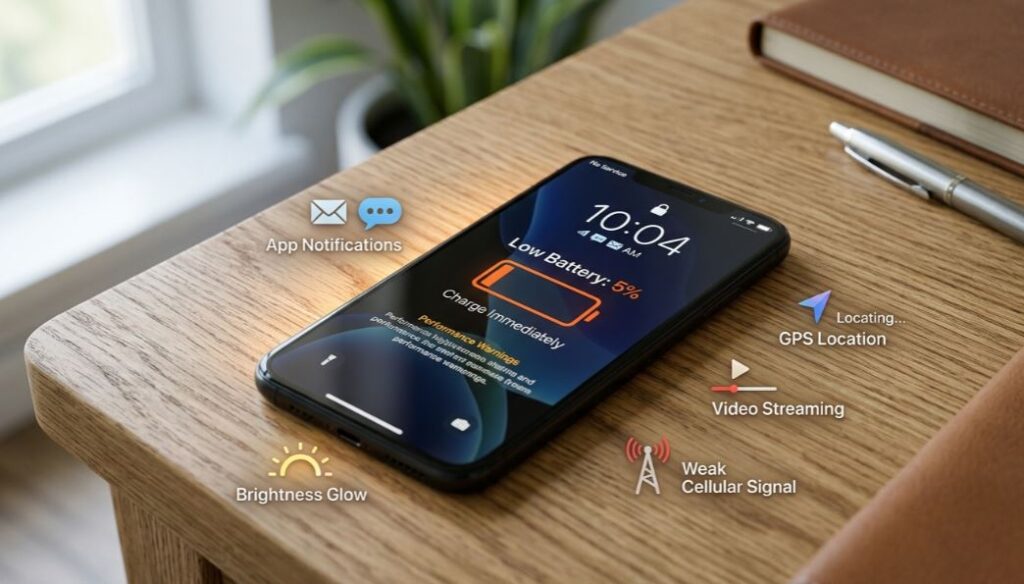
Before fixing the problem, it helps to know what is causing it.
Your phone is always doing more than you can see. Even when the screen is off, apps may refresh, messages may sync, location may update, and the device may search for a better signal. When you turn the screen on, the battery has even more work to do.
The main things that drain a smartphone battery
Most battery drain comes from a few common areas:
- Bright screen settings
- Too many background apps
- Weak mobile signal
- Heavy camera use
- Gaming and video streaming
- Always-on display
- Location tracking
- Too many notifications
- Heat while charging
- Old or poorly optimized apps
- Battery aging over time
The good news is simple: once you reduce wasted power, your phone usually feels more reliable. One effective way to reduce battery drain is to disable background app refresh for unnecessary apps. Check this guide on how to turn off app refresh in the background on phones.
Start With the Screen: It Uses More Power Than You Think
The display is one of the biggest battery users on almost every phone. If your screen is always bright, your smartphone battery will drain faster.
Lower brightness without making your phone hard to use
You do not need to keep brightness at full level all day. Full brightness is useful outdoors, but indoors it is usually too much.
Try keeping brightness at a comfortable level. For many people, 40% to 60% is enough indoors.
Use adaptive brightness
Adaptive brightness lets your phone adjust the screen based on your surroundings. It can help save power because the phone does not stay brighter than needed.
On most Android phones, you can find it here:
Settings > Display > Adaptive Brightness
On iPhone, check:
Settings > Accessibility > Display & Text Size > Auto-Brightness
Reduce screen timeout
Screen timeout controls how long your display stays on after you stop touching it. If it is set to two or five minutes, your phone wastes battery every time you put it down.
A good setting is:
- 30 seconds for best saving
- 1 minute for a balanced experience
This small change can improve daily battery life without affecting how you use your phone.
Use dark mode if your phone has an OLED screen
Dark mode can help on OLED and AMOLED screens because darker pixels use less power. It also makes the screen easier to look at in low light.
Dark mode will not magically double your battery life, but it is a smart setting to keep on.
Control Background Apps Before They Drain Your Battery
Some apps keep working even when you are not using them. They refresh feeds, check location, send alerts, sync files, and run services quietly.
That is useful for important apps. But not every app deserves that much power.
Check which apps use the most battery
Your phone already tells you which apps are draining the battery.
On Android:
Settings > Battery > Battery Usage
On iPhone:
Settings > Battery
Look for apps that use too much battery compared with how often you open them. For example, if a shopping app or game is using lots of power in the background, it may need restrictions.
Restrict background activity
You should allow background activity for apps you truly need, such as messaging, email, banking, calendar, or work apps.
For other apps, restrict background use.
Good apps to check include:
- Social media apps
- Shopping apps
- Games
- News apps
- Weather apps
- Video apps
- Fitness apps
- Wallpaper apps
This does not mean you have to delete everything. It simply means apps should not use battery when they are not helping you.
Use Battery Saver Mode Before It Is Too Late
Many people turn on battery saver mode only when their phone is at 5%. That is usually too late.
Battery saver mode works better when you turn it on earlier.
What battery saver mode does
Battery saver mode can reduce:
- Background activity
- Auto-sync
- Visual effects
- Some animations
- Performance demand
- Location checks
- App refresh frequency
On iPhone, this is called Low Power Mode. On Android, it is usually called Battery Saver or Power Saving Mode.
When should you use it?
Use battery saver when:
- Your phone drops below 30%
- You are traveling
- You are away from a charger
- You are using maps for a long trip
- You are attending an event
- You need your phone to last until night
For example, if you are traveling outdoors, recording videos, using mobile data, and sharing posts online, battery saver can help your phone survive the day.
Fix Your Charging Habits
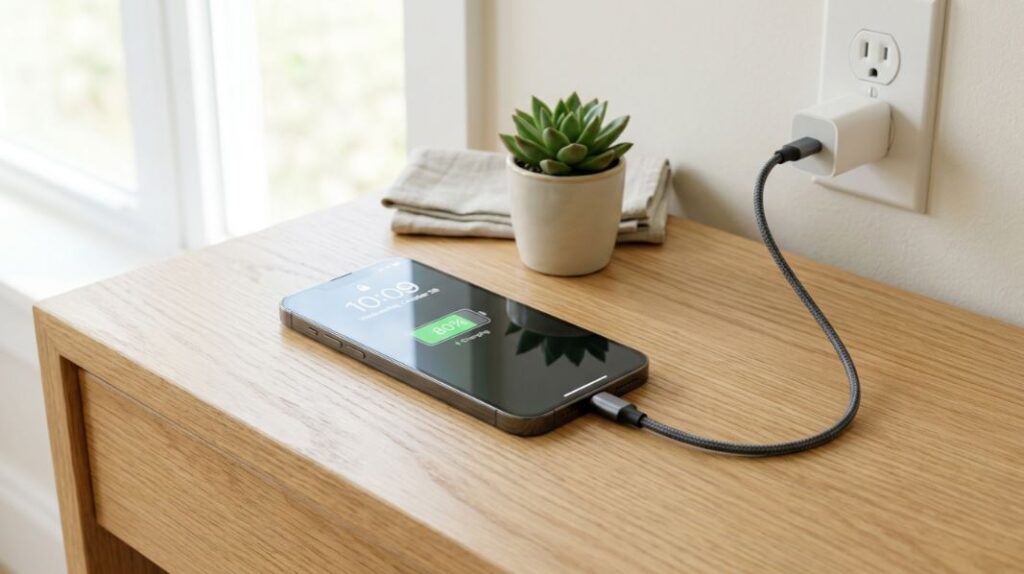
Charging is not only about filling the battery. It also affects long-term battery health.
Most modern phones use lithium-ion batteries. These batteries are powerful, but they do not love heat, deep discharge, or staying full under stress for too long.
Avoid letting your phone reach 0% often
It is okay if your phone dies once in a while. But making it a daily habit is not good for battery health.
Try charging before your phone gets very low. A practical rule is to plug in around 20% to 30%.
You do not always need 100%
Charging to 100% is fine when you need a full day. But if you are staying near a charger, stopping around 80% to 90% can reduce stress on the battery.
You do not need to be perfect. Just avoid extreme habits.
Keep your phone cool while charging
Heat is one of the biggest enemies of battery health.
Avoid charging your phone:
- Under a pillow
- On a hot car dashboard
- In direct sunlight
- While playing heavy games
- With damaged cables
- Inside thick cases if the phone gets hot
If your phone gets hot while charging, remove the case and place it somewhere cooler.
Use the Right Charger and Cable
A poor charger can create heat, slow charging, and battery stress. It can also damage your phone over time.
Choose safe charging accessories
Use a trusted charger and a good-quality cable. You do not always need the most expensive charger, but avoid unknown low-quality products.
Look for:
- USB-C support if your phone uses USB-C
- Proper wattage for your device
- Good build quality
- Safety certification
- A cable that is not loose or damaged
Fast charging is useful, but do not abuse it
Fast charging is great when you need quick power. But if your phone heats up during fast charging every day, that heat can affect battery health over time.
Use fast charging when needed. For overnight charging, slower charging is often enough.
Manage Wi-Fi, Mobile Data, 5G, Bluetooth, and GPS
Your phone battery also depends on connections. The harder your phone works to stay connected, the more battery it uses.
Use Wi-Fi when possible
Wi-Fi usually uses less battery than mobile data, especially when mobile signal is weak.
At home, work, school, or a trusted public place, connect to Wi-Fi if available.
Turn off 5G in weak coverage areas
5G can be fast, but it may drain more battery when the signal is poor. If your phone keeps switching between 5G and 4G, battery drain can increase.
If you do not need high-speed data all the time, switching to 4G/LTE can help battery life.
Control location access
Location services are useful for maps, delivery apps, ride apps, weather, and fitness tracking. But many apps ask for location access when they do not really need it.
Set location permission carefully:
- Allow only while using the app
- Use approximate location when exact location is not needed
- Deny location for apps that do not need it
- Avoid “always allow” unless necessary
This is one of the easiest ways to improve smartphone battery performance and privacy at the same time.
Update Your Phone and Apps
Software updates often include battery improvements, bug fixes, and security patches. Old software may cause apps or system services to behave badly.
Keep your system updated
Check for updates regularly.
On Android:
Settings > System > Software Update
On iPhone:
Settings > General > Software Update
Update your apps too
Sometimes the phone is not the problem. One poorly updated app can drain battery quickly.
Open your app store and update your apps. If one app still causes problems, clear its cache, reinstall it, or replace it with a lighter alternative.
Best Android Smartphone Battery Life: What to Look For
When people search for the best Android smartphone battery life, they often focus only on battery size. A 5,000mAh battery sounds better than a 4,500mAh battery, but real battery life depends on more than numbers.
Battery capacity is important, but not everything
A larger battery can help, but it must work with efficient hardware and good software.
Look at these factors:
- Battery capacity
- Processor efficiency
- Display type
- Screen refresh rate
- Software optimization
- Charging speed
- Standby battery drain
- Heat control
- Real-world reviews
A phone with a slightly smaller battery can sometimes last longer than a phone with a bigger battery if the software and chipset are more efficient.
Check real usage, not only spec sheets
Before buying a phone, check how it performs in normal daily use.
Look for reviews that test:
- Web browsing
- Video playback
- Gaming
- Camera recording
- Standby drain
- Charging time
- Heat during use
This gives a better idea of how the phone will perform in your real life.
Smartphone With Removable Battery: Is It Still a Good Idea?
A smartphone with removable battery used to be common. People could carry an extra battery and swap it anytime. Today, most modern smartphones have sealed batteries.
Why removable batteries became rare
Modern phones are designed to be thinner, stronger, and more water-resistant. Sealed designs also allow better internal layouts and larger screens.
That is why removable battery phones are not as common now.
Who may still want a removable battery phone?
A smartphone with removable battery may still make sense for:
- Field workers
- Outdoor travelers
- People in remote areas
- Users who keep phones for many years
- Anyone who wants easier battery replacement
For most people, a sealed phone with good battery health features and a portable charger is more practical.
Portable Battery for Smartphone: A Smart Backup
A portable battery for smartphone use is one of the most useful accessories you can carry. It is especially helpful if you travel, attend events, take lots of photos, or use your phone for work.
What power bank size should you choose?
Here is a simple guide:
5,000mAh power bank
Good for light backup. It is small, easy to carry, and useful for emergency charging.
10,000mAh power bank
Best for most users. It can usually charge a phone more than once, depending on battery size and efficiency.
20,000mAh power bank
Better for travel, long days, multiple devices, or heavy users.
What to check before buying
Before buying a portable battery, check:
- USB-C support
- Charging speed
- Number of ports
- Safety features
- Size and weight
- Brand reliability
- Cable quality
A power bank is not a replacement for good battery habits, but it gives peace of mind.
Simple Daily Routine to Optimize Smartphone Battery
You do not need to think about battery settings every hour. Create a simple routine and let your phone work better automatically.
Morning routine
Start the day with enough charge. If you have a long day, charge to 100%. If you are staying near a charger, 80% to 90% is usually enough.
Check that battery saver is ready to turn on when needed.
Daytime routine
During the day:
- Keep brightness reasonable
- Use Wi-Fi when possible
- Avoid unnecessary location access
- Close heavy apps after long use
- Turn on battery saver around 30%
- Avoid gaming while charging
Night routine
At night:
- Use optimized charging if available
- Keep the phone in a cool place
- Do not charge under a pillow
- Check battery usage if drain seems unusual
- Restart the phone if it has been running for many days
These small steps can make your smartphone battery feel much more dependable.
Advanced Tips for Better Battery Life
Once you handle the basics, these extra tips can help even more.
Turn off always-on display
Always-on display is useful, but it uses battery. If you want maximum battery life, turn it off or schedule it only during certain hours.
Reduce refresh rate
Many phones offer 90Hz, 120Hz, or higher refresh rates. They make scrolling smoother, but they can use more battery.
If battery life matters more than smooth scrolling, switch to 60Hz or use adaptive refresh rate.
Turn off unnecessary notifications
Every notification can wake your screen, use data, vibrate the phone, and pull your attention.
Turn off alerts from apps you do not need. Keep important notifications only.
Restart your phone sometimes
A simple restart can fix small background issues. If your battery suddenly drains faster than normal, restart the phone before making big changes.
Remove apps you never use
Unused apps can still take storage, send notifications, and run background services.
If you have not used an app in months, remove it.
Common Smartphone Battery Myths
Battery advice online can be confusing. Some tips are outdated, while others are only partly true.
Myth 1: You must always charge to 100%
You can charge to 100% when needed, but it is not required every time. For daily use, charging to 80% or 90% is often enough.
Myth 2: Closing all apps always saves battery
Closing every app again and again does not always help. In some cases, reopening apps can use more power. It is better to restrict apps that abuse background activity.
Myth 3: Battery saver damages your phone
Battery saver does not damage your phone. It simply limits some features to reduce power use.
Myth 4: Bigger battery always means better battery life
A bigger battery helps, but software, processor efficiency, screen type, and signal strength also matter.
FAQs About: Optimize Smartphone Battery
what smartphone has the longest battery life?
Need a phone that does not need charging often? The OnePlus 15 is a good choice. Tests show it can last over 25 hours on one charge. Battery life changes by model and use, but phones with large batteries, efficient chips, and smart software usually last longest in real daily use today for most people.
how to optimize smartphone battery?
Lower brightness, limit background apps, use battery saver, avoid heat, update apps, and charge before your smartphone battery gets too low daily always safely.
which smartphones has the best battery life?
The OnePlus 15 is one of the best phones for battery life right now, but it is not the only strong option. Phones like the Asus ROG Phone 9 Pro, OnePlus 13, iPhone 17 Pro Max, Samsung Galaxy S26 Ultra, Xiaomi 15 Ultra, Oppo Find X8 Ultra, and Moto G 2026 are also good picks.
For most people, OnePlus 15 is great for the longest use, Asus ROG Phone 9 Pro is better for gamers, iPhone 17 Pro Max is best for Apple users, and Moto G 2026 is a smart choice if you want good battery life at a lower price.
Why is my smartphone battery draining so fast?
Fast battery drain usually comes from high brightness, weak signal, location tracking, gaming, background apps, old software, or battery wear over time in daily use.
Is it bad to charge my phone overnight?
Charging overnight is common, but use optimized charging and keep the phone cool, because heat and long time at 100% can age the battery faster over time.
Does battery saver mode really help?
Yes, battery saver can reduce background activity, visual effects, syncing, and performance demands, helping your phone last longer when you need it most.
Does dark mode save smartphone battery?
Dark mode can save battery on OLED screens because black pixels use less power, but the effect is usually smaller on regular LCD displays in daily use.
Does 5G drain smartphone battery faster?
5G can drain more battery in weak coverage because your phone works harder to hold signal. Use Wi-Fi or 4G when coverage is unstable outside often.
Is a portable battery for smartphone worth buying?
Yes—if your phone often dies before you get home, a power bank is a smart buy. Cheap ones are about $10–$15; fast, high-capacity models can cost $180–$230. A portable battery for smartphone use is worth it if you travel, attend events, game, use maps, or spend long hours away from a wall charger daily.
Is a smartphone with removable battery better?
A smartphone with removable battery is easier to refresh, but modern sealed phones often offer better water resistance, slimmer design, and safety features today.
Conclusion
Learning how to optimize smartphone battery life is not about using your phone less. It is about using it smarter.
Start with the simple things. Lower the brightness. Reduce screen timeout. Control background apps. Use battery saver earlier. Keep your phone cool. Update apps. Avoid poor chargers. Manage location, 5G, Wi-Fi, and notifications.
If you want the best Android smartphone battery life, do not only look at battery size. Look at real-world performance, processor efficiency, display settings, and software quality. If your day is long, a portable battery for smartphone backup is also a smart choice.
Your smartphone battery will not stay new forever, but good habits can help it last longer each day and age better over time. Set up your phone once, follow a few practical habits, and you will spend less time worrying about the battery percentage and more time actually using your phone.