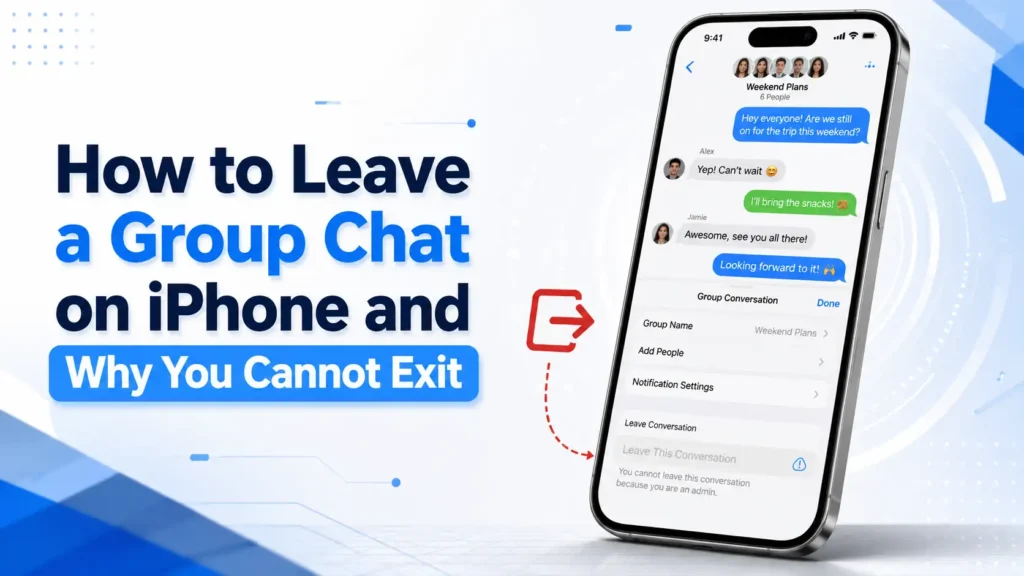
You open a busy group conversation, tap the names at the top, and expect to see an exit button. Sometimes it is there. Sometimes it is missing. That difference is not random.
You can leave an iPhone group chat when at least three other people remain in the conversation and everyone is using an Apple device with iMessage. When the group is too small or uses RCS, SMS, or MMS instead of iMessage, the Messages app may not provide the option to leave.
Here is how to leave when it is allowed—and what to do when it is not.
Can You Leave a Group Chat on iPhone?
Yes, but not every group conversation can be exited.
| Group situation | Can you leave? | Best action |
|---|---|---|
| Four or more people using iMessage | Usually yes | Tap Leave This Conversation |
| Three people in total | No | Mute or delete the thread |
| Group using RCS, SMS, or MMS | Usually no | Use Hide Alerts |
| One member is not using iMessage | Usually no | Mute the chat or start a new one |
| Unwanted MMS or RCS group | Exit may be unavailable | Use available delete, block, or mute controls |
The key detail is not simply whether you own an iPhone. The conversation itself must meet the requirements for leaving.
How to Leave a Group Chat on iPhone
When Leave This Conversation is available, follow these steps:
- Open the Messages app.
- Tap the group conversation you want to exit.
- Tap the group name, participant photos, or icons at the top.
- Scroll down through the group details.
- Tap Leave This Conversation.
- Tap Leave Conversation to confirm.
You will stop receiving new messages from that thread. A notice may appear in the conversation showing the other members that you left.
This is the direct answer for anyone asking, “How do I leave a group chat on iPhone?” The process takes only a few taps, but it works only when the group qualifies.
Why Can’t I Leave a Group Chat on iPhone?
The exit option is normally unavailable for one of two reasons:
- Fewer than three other people would remain.
- The conversation is not an all-iMessage group.
Your phone is not necessarily broken, and changing a random setting will not override these limits.
The Group Has Only Three People
A conversation with you and two other people has three members in total. Because only two participants would remain after your departure, the Messages app does not normally let you exit that thread.
That is why how to leave a 3 person group chat on iPhone has an inconvenient answer: you generally cannot remove yourself using the Leave button.
You can still:
- Turn on Hide Alerts.
- Delete the conversation from your device.
- Ask the other two people to start a new chat without you.
Deleting the thread does not remove you from it. The conversation can return when someone sends another message.
The Conversation Is Not Using iMessage
An iMessage group uses Apple’s messaging service and normally displays blue message bubbles. A conversation may instead use RCS, SMS, or MMS, which appears in green.
Green does not identify one specific format. On current iPhones, a green group can be using RCS or traditional carrier messaging. In either case, it does not have the same leaving controls as an all-iMessage group.
This often explains questions such as:
- “Why can’t I leave a group chat on iPhone?”
- “Why can I not leave a group chat on iPhone?”
- “Why is Leave This Conversation not showing?”
Someone Is Not Using an Apple Device With iMessage
One participant using a non-Apple device can change the type of group conversation. The thread may use RCS, SMS, or MMS rather than iMessage, so the exit button may disappear.
A person can also own an iPhone but not currently use iMessage. Their device may have iMessage disabled, temporarily unavailable, or unregistered for the phone number being used.
The Messages app evaluates the conversation’s messaging format—not merely the brand of phone you are holding.
How to Tell What Kind of Group You Have
The bubble colour is a helpful first clue:
- Blue bubbles indicate iMessage.
- Green bubbles indicate RCS, SMS, or MMS.
Next, tap the group icons at the top of the conversation and scroll down.
When you see Leave This Conversation, the group currently meets the conditions for leaving. When it is missing, check the number of members and whether every participant is using iMessage.
Do not assume that green bubbles mean something is wrong. RCS, SMS, and MMS are valid messaging methods, but they use different features and may depend on your mobile provider.
What to Do When You Cannot Exit
Being unable to leave does not mean you must keep hearing every notification. The following alternatives are usually more useful than repeatedly checking for an exit button.
Mute the Group With Hide Alerts
Muting is the simplest way to stop interruptions while keeping the messages available.
To mute the conversation:
- Open Messages.
- Tap the group.
- Tap the participant icons at the top.
- Scroll down.
- Turn on Hide Alerts.
You can also return to the conversation list, swipe left across the group, and tap the mute button.
New messages will continue to arrive, but your iPhone will no longer alert you in the usual way for that conversation. Other conversations can still deliver notifications normally.
Delete the Conversation From Your Message List
You may delete the thread when you no longer need its history:
- Open the Messages conversation list.
- Swipe left across the group.
- Tap the trash button.
- Confirm the deletion.
This cleans up your message list, but it is not the same as leaving. If you deleted the conversation by mistake, see our guide on how to find deleted messages on iPhone to check whether the thread can still be recovered. A new reply from another participant may cause the group to appear again.
Ask the Members to Create a New Group
For a three-person conversation, this is often the cleanest permanent solution.
You could write:
“Please continue this conversation in a new group without me, as I no longer need the updates.”
Once the other participants move to a new thread, you can mute or delete the original one.
Delete and Block an Unwanted Group
On supported iOS versions, some MMS or RCS conversations may offer Delete and Block This Conversation. This is intended for unwanted or spam group messages rather than an ordinary social chat.
Blocking is stronger than muting. Use it when the messages are unsolicited, abusive, or unsafe—not simply because a legitimate group is active.
Leave This Conversation Is Missing: What Should You Check?
Before assuming there is a fault, work through this short checklist.
1. Count the participants
There must be at least three other people besides you. In other words, the group generally needs four or more total members.
2. Look at the bubble colour
Blue suggests iMessage. Green means RCS, SMS, or MMS, and the normal leave control may not be available.
3. Confirm that iMessage is enabled
Open:
Settings > Apps > Messages
Check that iMessage is turned on. Keep in mind that your setting alone is not enough; everyone in the group must be using iMessage for an all-iMessage thread.
4. Reopen the conversation details
Close Messages, open it again, enter the group, and tap the icons at the top. This can help when the group details have not loaded correctly, although it cannot change an ineligible conversation into one you can leave.
5. Install an available iOS update
An update may correct a Messages interface problem or provide newer conversation controls. It will not remove the participant and messaging-format requirements.
6. Create a fresh iMessage conversation when appropriate
When everyone now uses an Apple device with iMessage but an older thread still behaves as a carrier-based group, starting a fresh conversation may create an iMessage thread.
The original group and the new group will remain separate.
Can I Leave a Group Chat on iPhone Without Anyone Knowing?
Not reliably. When you leave an iMessage group, Messages may place a notice in the thread indicating that you exited.
There is no standard setting that guarantees a silent departure. Turn on Hide Alerts when you want to reduce interruptions without drawing attention to an exit.
Muting is private in the sense that other participants are not normally told that you silenced notifications.
Does Deleting a Group Chat Remove You?
No. Deleting removes the visible conversation and its stored messages from your device, subject to your Messages and iCloud settings. It does not tell the group to remove you.
If another member replies, the conversation may return to your list.
To remove yourself properly, you must use Leave This Conversation when it is available.
Can Someone Else Remove You From the Group?
A participant may be able to remove another person from an eligible iMessage group when the conversation contains enough people. The group must generally have at least four members, and everyone must use an Apple device with iMessage.
Removal from a mixed-device group does not work in the same way. The members may need to create a new conversation without the person they want to exclude.
Can You Rejoin After Leaving?
You cannot rejoin an iMessage group by yourself. Someone who remains in the conversation must add you again.
When adding you is unavailable because of the group type, the members may need to begin a new conversation that includes you.
Common Examples
Four Friends Using iMessage
You and three friends are using Apple devices, and the group has blue bubbles. Three other people will remain when you exit.
You should be able to tap the group icons and select Leave This Conversation.
You and Two Coworkers
The group contains three people in total. Even when all three use iMessage, only two would remain after you left.
The exit option will normally be unavailable. Mute the thread or ask the coworkers to continue in a new conversation.
A Mixed-Device Family Conversation
Some relatives use Apple devices and another member uses a different device. The bubbles are green because the group uses RCS, SMS, or MMS.
You will probably not see the normal iMessage exit option. Hide Alerts is the most practical solution.
You may also need to manage conversations that take place outside the Messages app. For voice conversations, see our guide on how to record a phone call on iPhone, including the available recording methods and important limitations.
Frequently Asked Questions
How do you leave a group chat on iPhone?
Open the group in Messages, tap the participant icons, scroll down, and tap Leave This Conversation. You need at least three other participants, and everyone must be using an Apple device with iMessage.
How can I leave a group chat on iPhone when the button is missing?
You cannot force the button to appear. Check whether the group has four or more total members and uses iMessage. When it does not qualify, mute the thread or ask the members to create a new one without you.
How to leave a group chat on an iPhone with green bubbles?
A green group uses RCS, SMS, or MMS rather than iMessage. The normal leaving option may not be supported. Use Hide Alerts, delete the thread, or block it when it is unwanted spam.
Why cant I leave a group chat on iPhone with three people?
A three-person chat would leave only two people behind. Messages normally requires at least three other participants to remain before you can exit.
Why can I leave a group chat on iPhone in one thread but not another?
The first group likely has enough participants and uses iMessage. The other may be too small or may use RCS, SMS, or MMS.
Can I leave a group chat on iPhone permanently?
Yes, when Leave This Conversation is available. When it is not, ask the members to begin a new group without you. Simply deleting the old thread is not a permanent exit.
How can you leave a group chat on iPhone without notifications continuing?
Use Leave This Conversation in an eligible iMessage group. Otherwise, turn on Hide Alerts to stop ordinary notifications while remaining in the thread.
Does leaving a group delete its old messages?
Leaving stops your participation, but the previous conversation can remain visible on your device until you delete it.
Final Takeaway
Knowing how to leave a group chat on iPhone and why you cannot exit comes down to two checks: the number of participants and the messaging format.
You can normally leave when at least three other people remain and everyone uses an Apple device with iMessage. If the conversation has only three total members or uses RCS, SMS, or MMS, the exit control may be unavailable.
When you cannot leave, turn on Hide Alerts, delete the thread from your list, or politely ask the members to start a new conversation without you. The missing button is usually a feature limitation—not a problem with your iPhone.